


















datetimeオブジェクトはdatetimeモジュールで使用できる日時を表現するオブジェクトで、日付や時間を個別に指定、出力することができます。
datetimeオブジェクトの作成
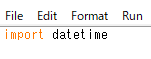
datetimeオブジェクトを使用するには、最初にdatetimeモジュールをimportする必要があります。
#python
import datetime
d = datetime.datetime(2022,1,1,1,1,1,1)
print(d)datetime.datetimeは、年、月、日、時、分、秒、マイクロ秒、タイムゾーンの情報を持ちます。
たとえばこんな感じでマイクロ秒まで指定すると、
たとえばこんな感じでマイクロ秒まで指定すると、
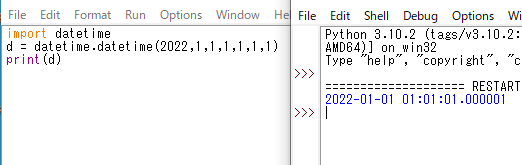
こんな感じで指定日時のdatetimeオブジェクトが作成できます。
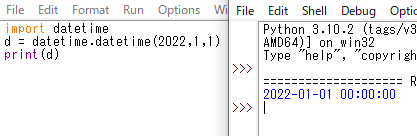
時間以降は省略も可能です。
#python
import datetime
d = datetime.datetime(2022,1,1)
print(d.year)
print(d.month)
print(d.day)
print(d.hour)
print(d.minute)
print(d.second)
print(d.microsecond)
print(d.tzinfo)
datetimeオブジェクトの日時日付などは個別に取得することも可能です。
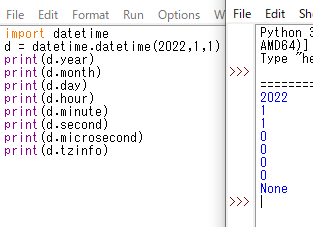
実行結果です。

Python操作方法、関数・メソッドリファレンス
使用用途別にまとめたPythonリファレンスページです。
初期準備、基本概念
ダウンロード、インストール、起動
ShellとEditor、保存、実行
保存したPythonの起動
コメント、docstring、行またぎ
コメント、...
sunagitsune.com
2022.05.06


コメント