テキストボックスの余白を変更する方法についてです。
余白
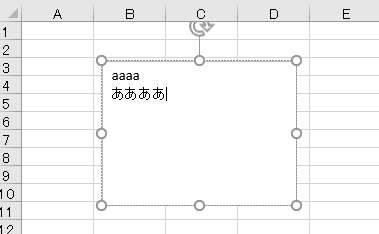
テキストボックスを選択した状態で、
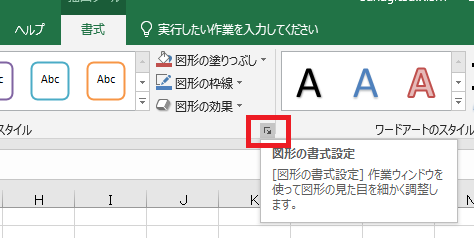
書式→リボン右下のボタンなどの動線で、
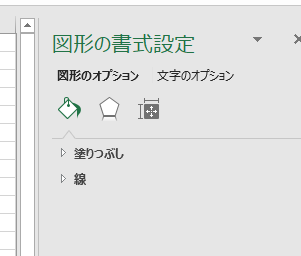
図形の書式設定を開きます。
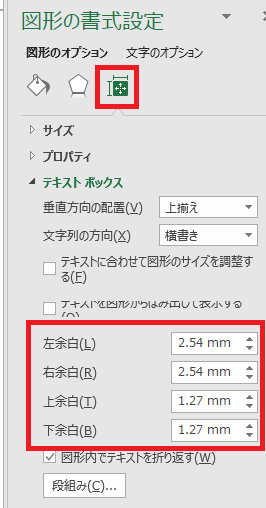
右端のアイコンをクリックすると、余白を設定できる項目があるので、
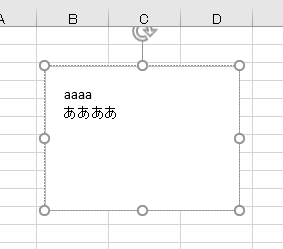
数値を変更すれば、テキストボックスに反映されます。

やりたいことから方法を探すエクセル(Excel)操作・関数・VBA(マクロ)逆引きまとめ
逆引き(やりたいことから探す)Excel記事まとめ
sunagitsune.com
2018.11.04
 IT
IT  IT
IT  IT
IT  IT
IT  IT
IT  IT
IT  IT
IT  IT
IT  IT
IT  IT
IT  IT
IT  IT
IT  IT
IT  IT
IT  IT
IT  IT
IT  IT
IT  IT
IT  IT
ITテキストボックスの余白を変更する方法についてです。


コメント