

















Power Automate Desktop:「ファイルの名前を変更する」で拡張子だけを変更する方法

binders IT

ファイルの名前を変更する」で拡張子を変更するを選択した場合の使い方です。

Power Automate Desktopでファイルの名前を変更する方法
「ファイルの名前を変更する」ではファイルの名前を変更する他、置換、文字の追加、拡張子の変更などを行うことができます。

スポンサーリンク

拡張子を変更する

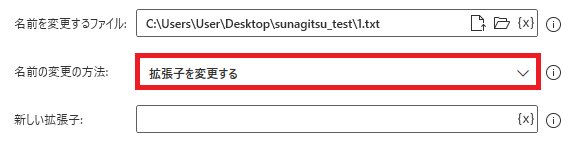
PowerAutomateDesktop ファイルの名前を変更する22
ファイルの名前を変更する拡張子を変更するを選択すると、ファイル名の拡張子だけを変更することができます。

新しい拡張子
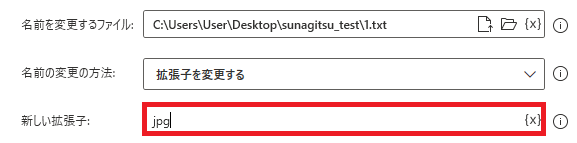
PowerAutomateDesktop ファイルの名前を変更する24
変更方法が拡張子を変更するの時に表示されます。変更後の拡張子を指定します。空欄でも実行できますが、エラーになります。
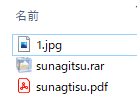
PowerAutomateDesktop ファイルの名前を変更する23
実際に実行してみると、
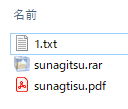
PowerAutomateDesktop ファイルの名前を変更する25
指定したファイルの名前はそのまま、拡張子だけ変更されることが確認できます。

Microsoft Power Automate Desktop(PAD)アクション、使い方一覧
Power Automate Desktopの使い方を機能・分類別に参照できるまとめです。

コメント

This website stores cookies on your computer. These cookies are used to provide a more personalized experience and to track your whereabouts around our website in compliance with the European General Data Protection Regulation. If you decide to to opt-out of any future tracking, a cookie will be setup in your browser to remember this choice for one year.

Accept or Deny