




















データの位置を簡単に入れ替える、挿入することができるちょっとした小技です。
成果物

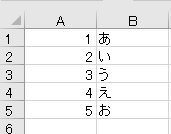
この状態から、

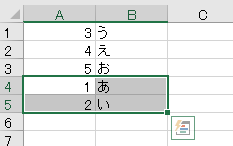
1~2行目を5行目のデータの下に移動させ、データの位置を入れ替えます。
データの位置を入れ替える

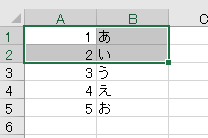
まずは入れ替えたいデータを選択し、

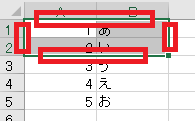
Shiftを押したままデータの辺にカーソルを合わせます。

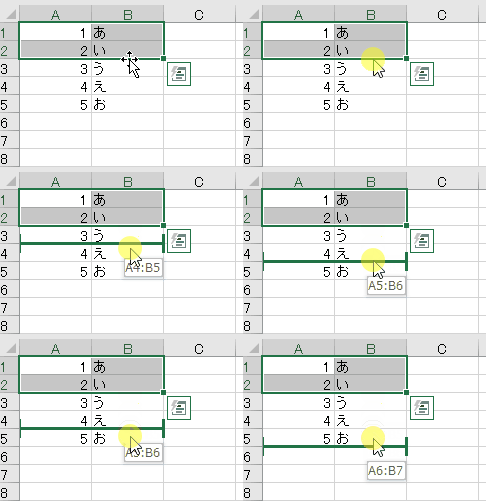
で、そのまま挿入したい位置にドラッグすると、
データの位置が入れ替わります。
コピーしたセルの挿入でも近い動作はしますが、上から下にデータを移動して下のデータを上に補完させることができるのが強みです。


やりたいことから方法を探すエクセル(Excel)操作・関数・VBA(マクロ)逆引きまとめ
逆引き(やりたいことから探す)Excel記事まとめ

sunagitsune.com
2018.11.04



コメント