














Power Automate Desktop:フローをクリア、アクションを全削除する方法

farming IT

PAD内のアクションをまとめて削除する方法についてです。

スポンサーリンク

すべて削除

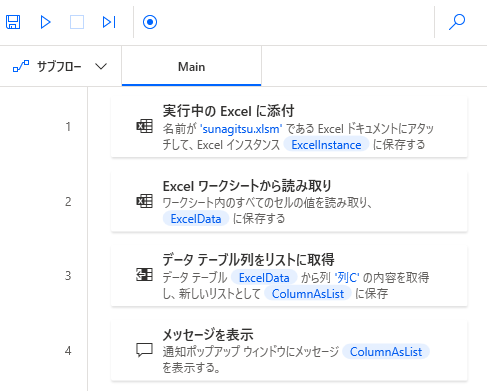
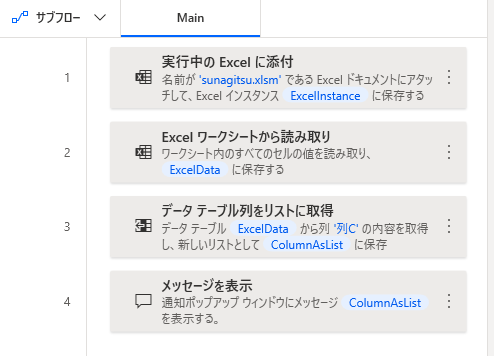
フロー内のアクションを全部消すには、
Ctrl+Aでアクションを一括選択して、
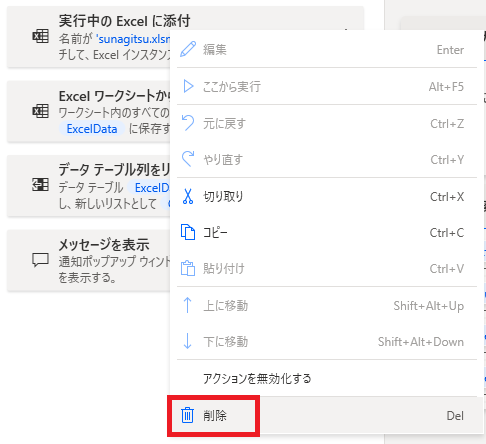
右クリック→削除をクリックするか、Delを押します。
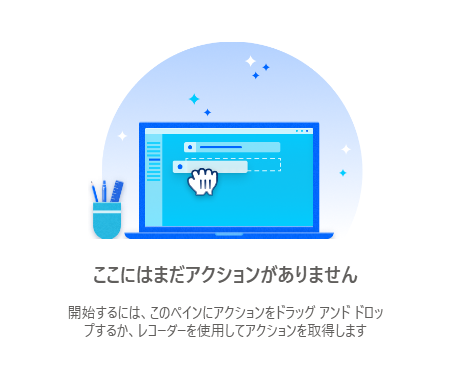
フロー内のアクションが全削除されます。
Microsoft Power Automate Desktop(PAD)アクション、使い方一覧
Power Automate Desktopの使い方を機能・分類別に参照できるまとめです。

コメント

This website stores cookies on your computer. These cookies are used to provide a more personalized experience and to track your whereabouts around our website in compliance with the European General Data Protection Regulation. If you decide to to opt-out of any future tracking, a cookie will be setup in your browser to remember this choice for one year.

Accept or Deny

モバイルバージョンを終了